CX Intel
A data-informed tool for project managers
OVERVIEW
Project Brief
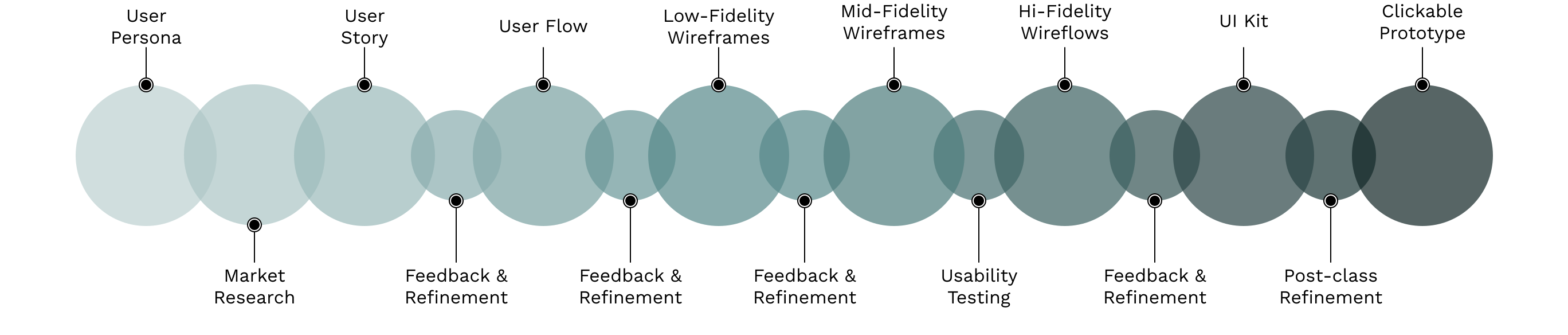
This was the first project for GD 202 - Designing for Settings, People, and Use at NC State University. I completed this course during the spring semester of 2026. My instructor was David Oh.
The Problem
Olivia, my user persona, is a project manager at a company. She wants a way to better manage customer service issues at the company.
The Solution
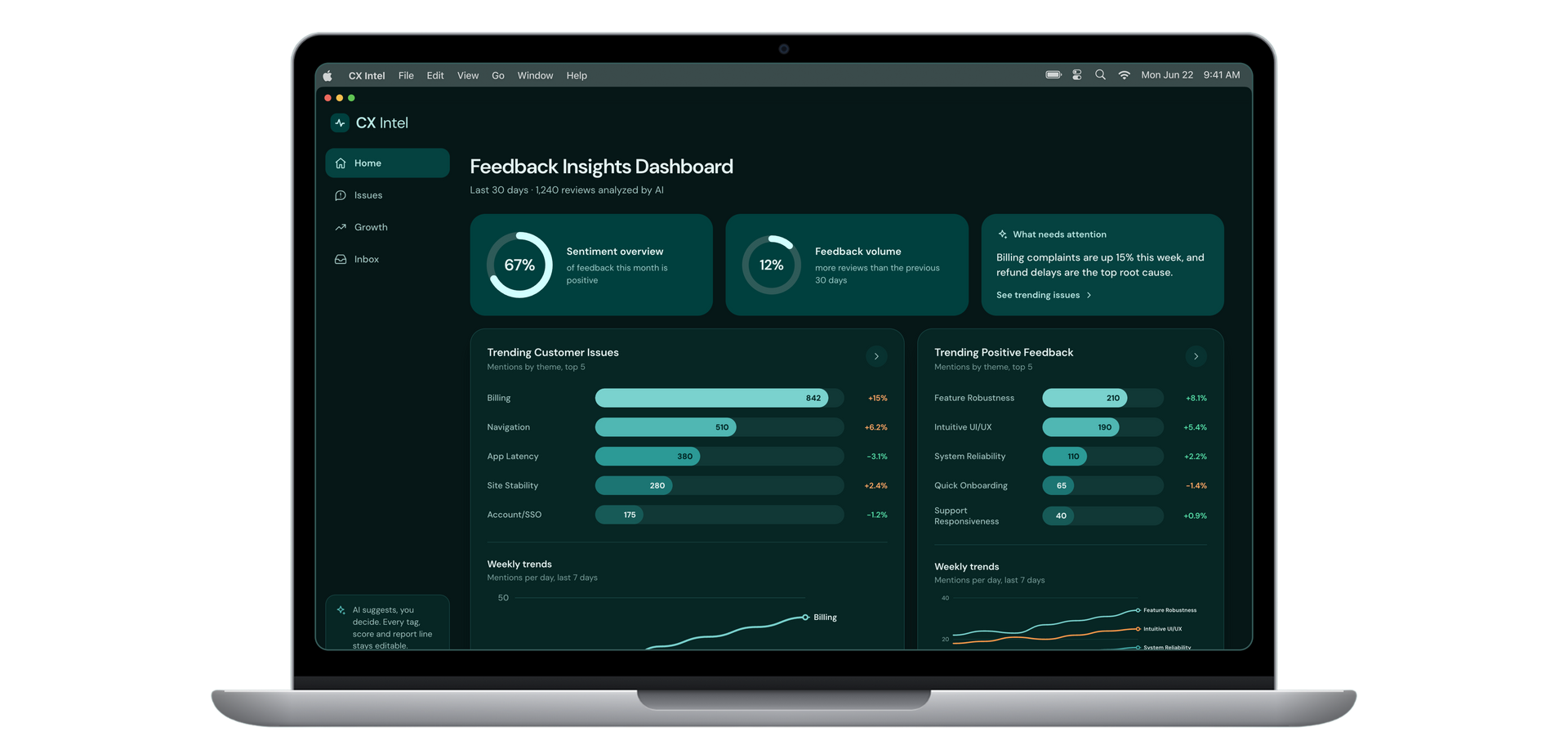
A comprehensive customer experience dashboard that takes qualitative data from customer reviews, utilizes AI to tag and code the data into categories in order to gather quantitative data from users. However, the PM has full control to go through each review and revise the tags and codes assigned by AI, as well as the report generated by AI. This way, Olivia can utilize AI to make her workflow quicker while not fully relying on it. The qualitative data is then used to create visualizations to better share reports with her team. This system of tagging and coding data from text-based feedback is something I learned about and implemented in a project for another course at NCSU's Data Science Academy.
PROCESS
USER STORY
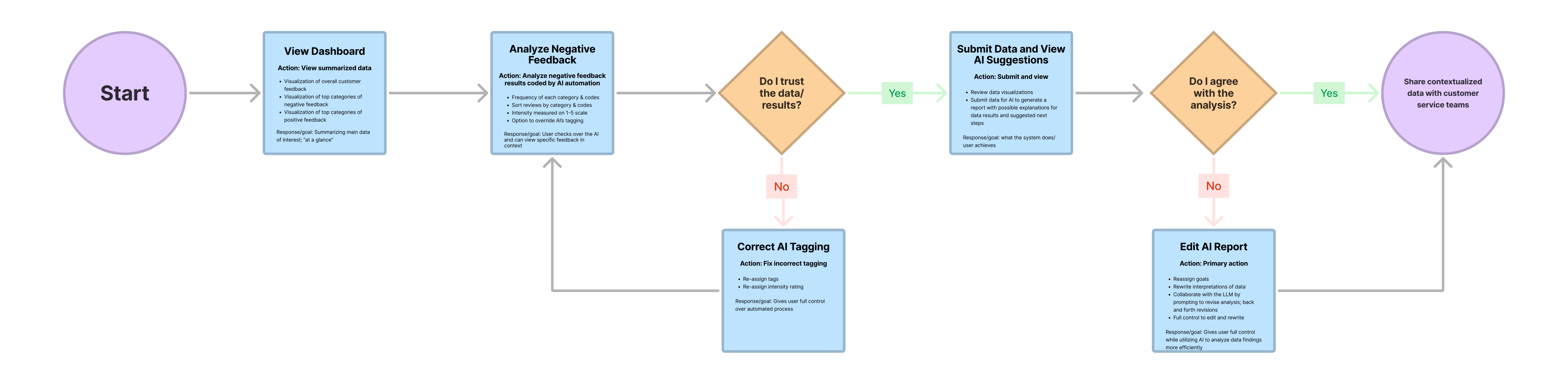
“As a Product Manager, I want to leverage AI automation to analyze negative feedback patterns without losing final human control, allowing me to prioritize issues efficiently and accurately to make plans for next steps with my team.”
USER FLOW
LOW-FIDELITY WIREFRAMES
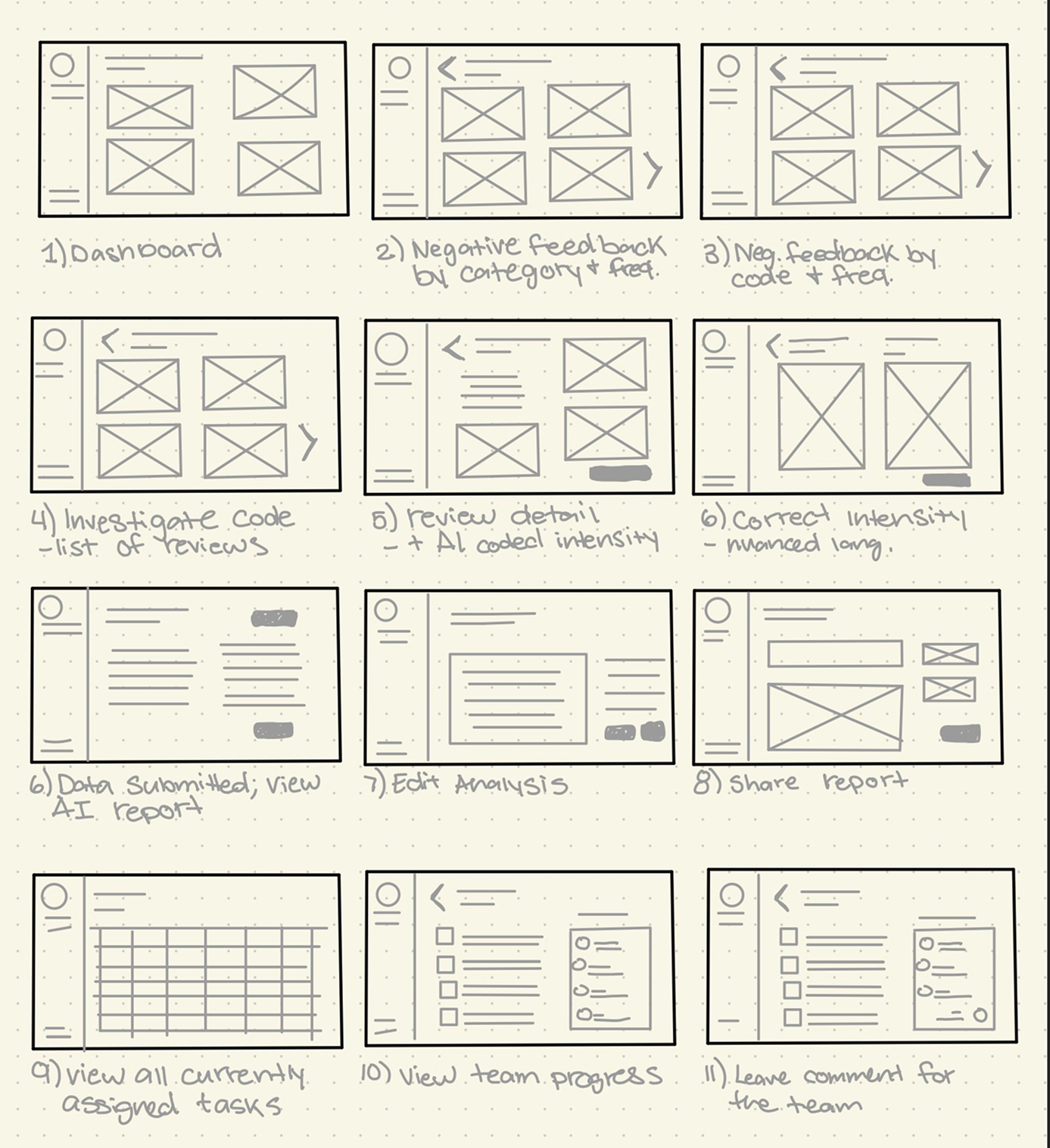
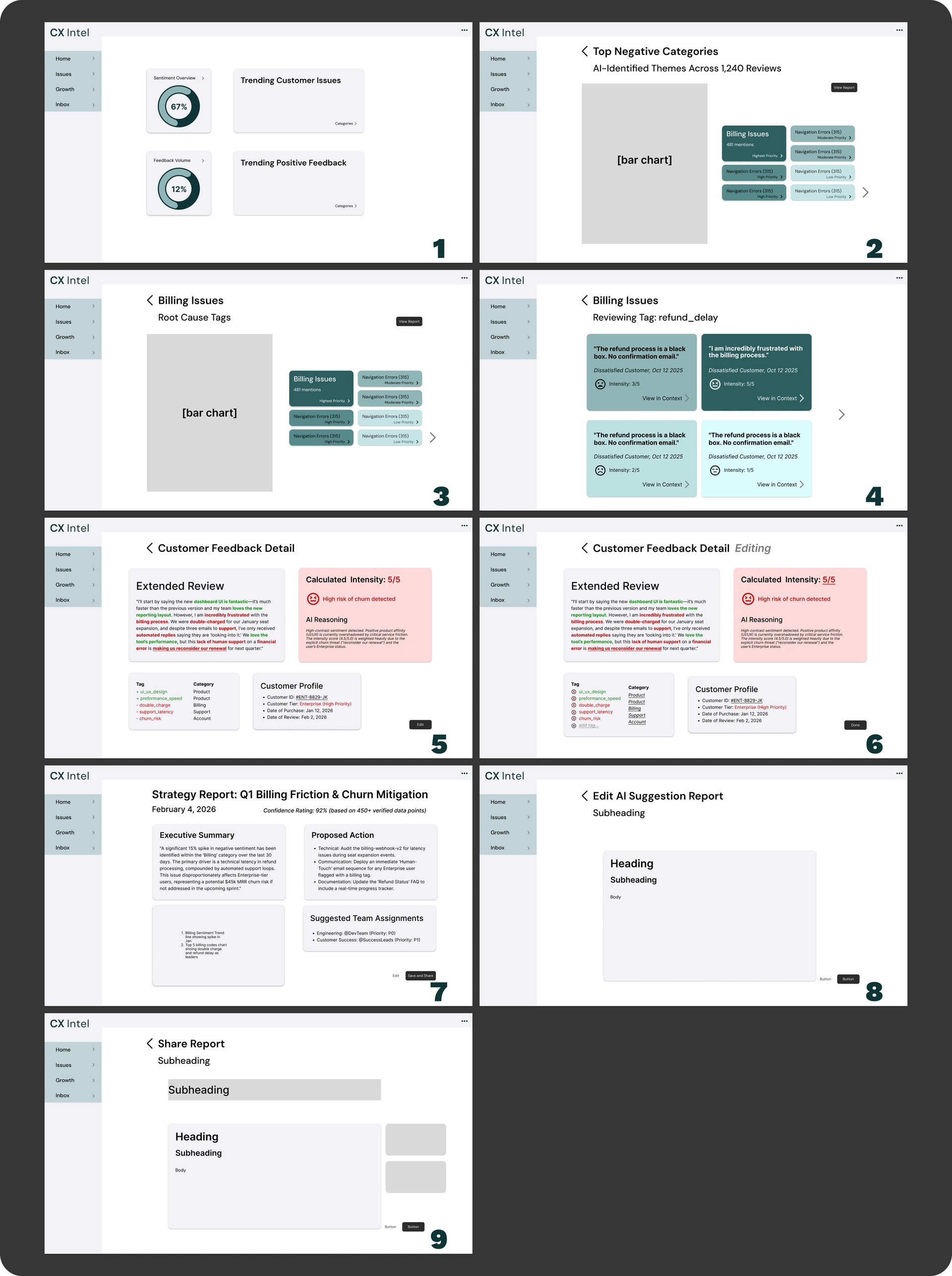
In my original low-fidelity design, I had an idea for the user to be able to assign tasks to teams to fix issues. However, after receiving feedback to narrow the scope of the project for time's sake, I removed it from the updated user flow and mid-fidelity wireframes. This is something I may explore in future revisions of the project.
MID-FIDELITY WIREFRAMES
HI-FIDELITY WIREFLOWS
POST-COURSE REVISIONS & PROTOTYPE
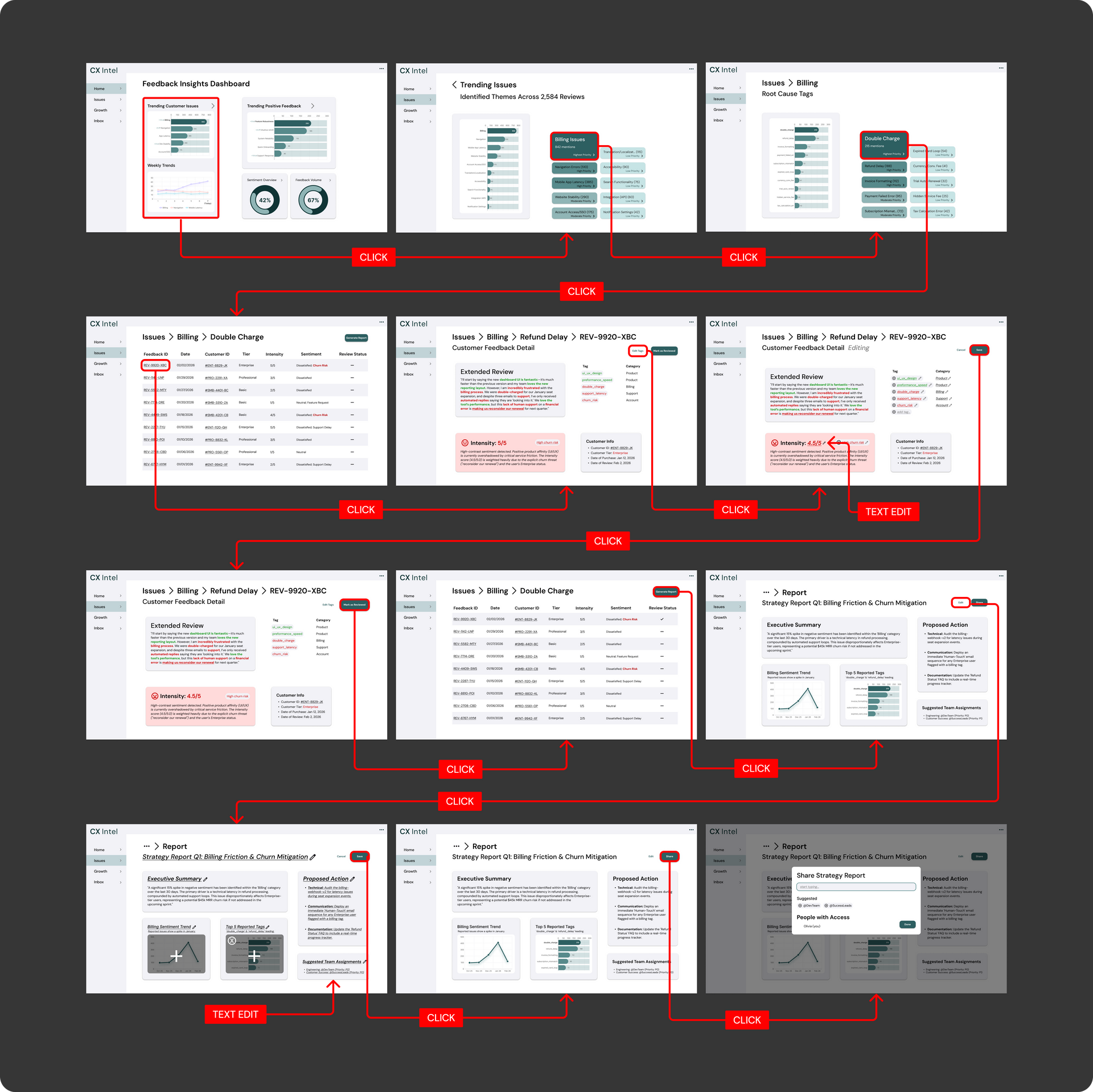
Though I was happy with the UX mapping and logic, I felt that the visual aesthetics could be improved. I also felt that the use of color was not as intentional as it could be, and in some areas, there needed to be an icon indicator in addition to color so that it would be accessible for those with red-green colorblindness. As I learned more and grew as a designer, I decided to go back and make these changes. I utilized Claude and Figma Make to make this prototype workable through vibe coding.